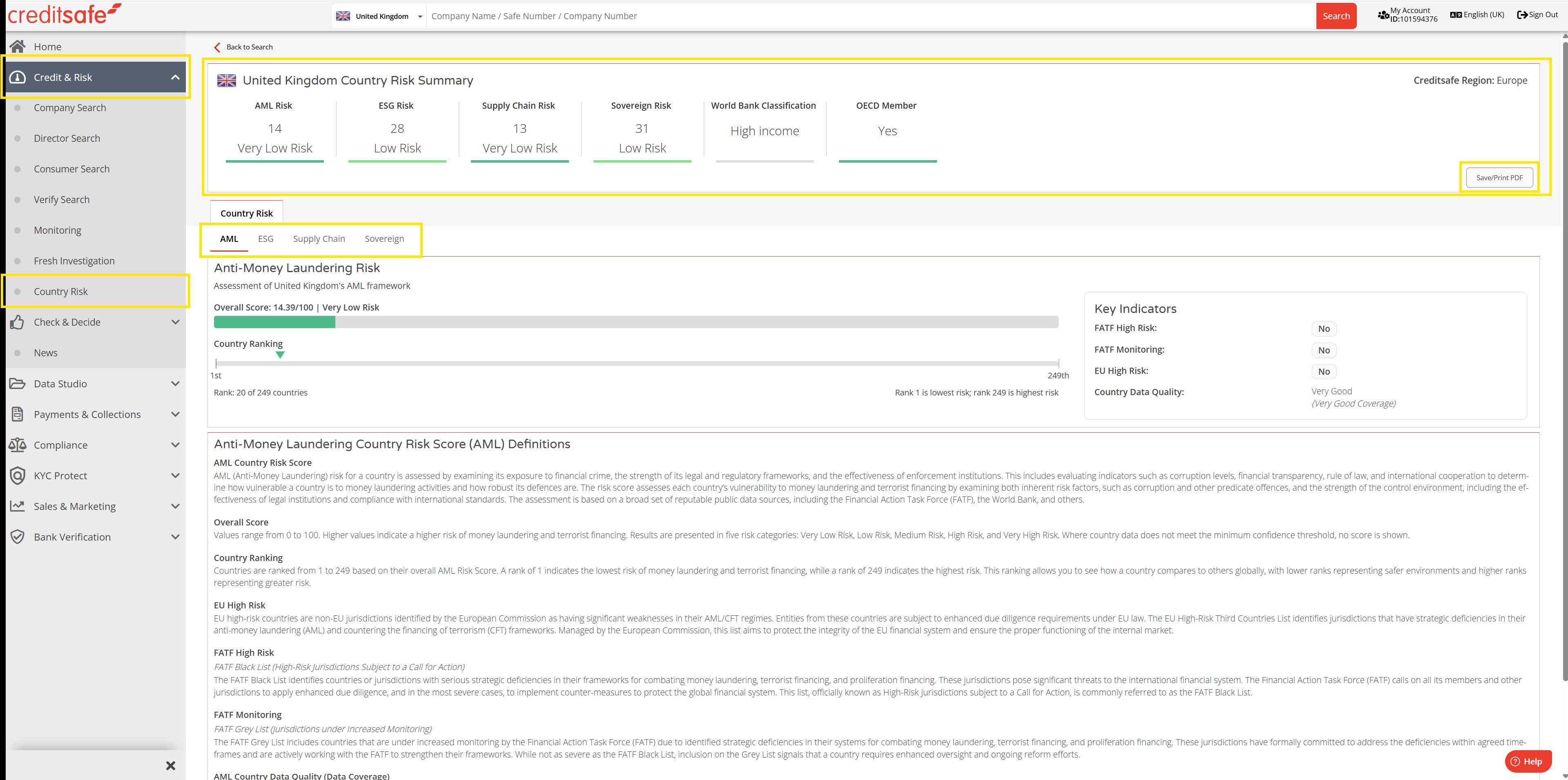
For more guidance on how to navigate a Country Risk Report, please view this interactive demonstration.
You can also follow the below steps to navigate a report:
- On the Creditsafe homepage, select the Country Risk product from the left hand menu. This will be configured based on your login country
- In the Country Risk landing page, you can click the blue button to download the user guide. This will be saved to your Downloads
- Use the drop down box/search function to select your country
- You will be taken to the Country Risk Report
- The banner across the top of the page gives an overview of the country's risk scores
- You can navigate through the different risk factors by clicking on the relevant tabs
- Within each of these tabs, there will be a breakdown of the risk factor, and a list of definitions that are linked to the specific risk factor
- To save a copy of the report, click on the grey Save/Print PDF button in the top right corner
- Configure your save options, you can download a PDF or have this sent via email
- Once you have saved the report, you will be taken back to the report page
For more guidance on Country Risk, please view these articles.