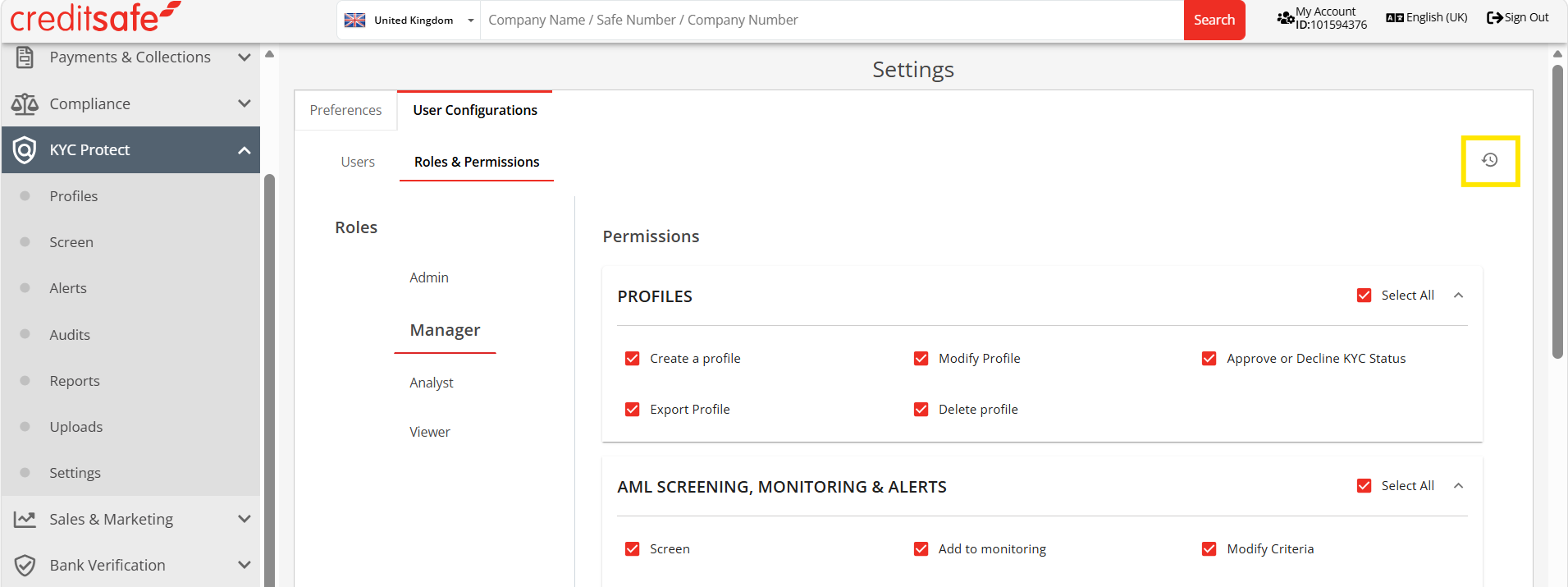
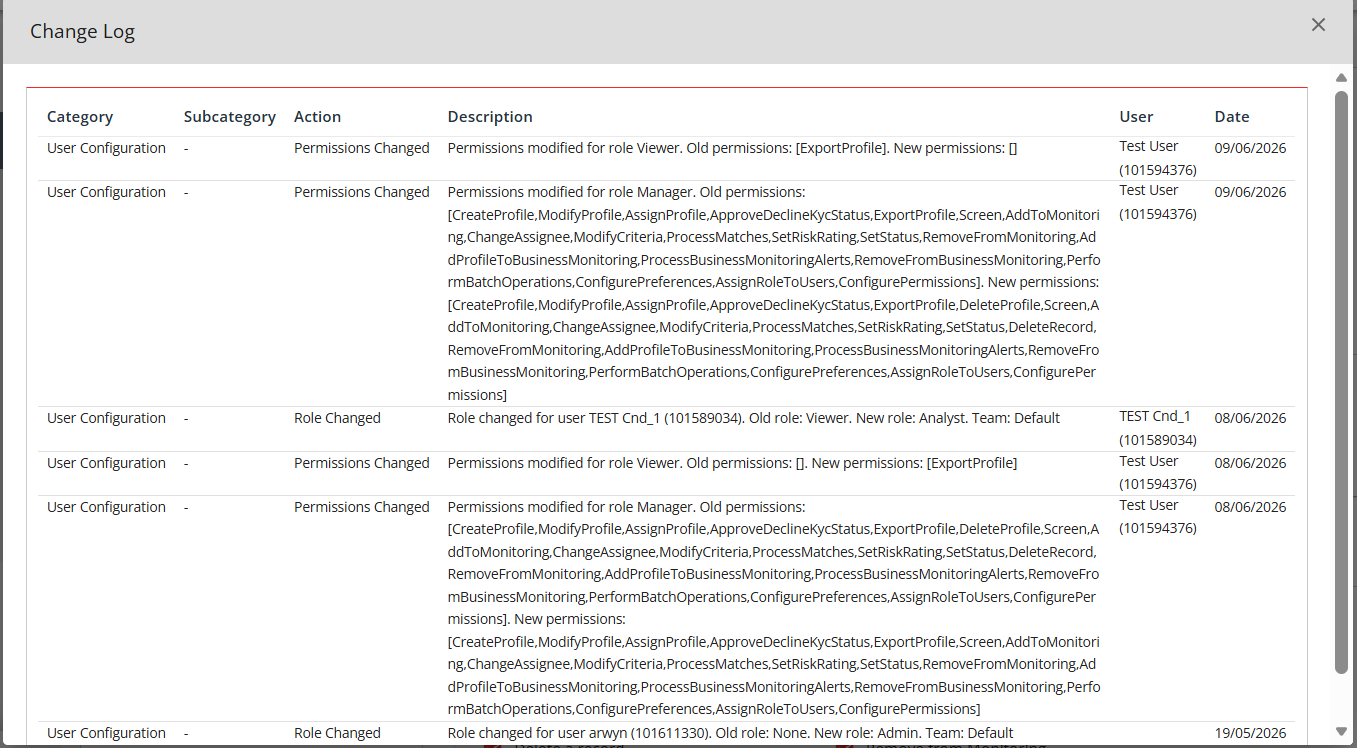
Yes. It is possible for you to see change logs of user roles and permissions in KYC Protect. Please view on this interactive demonstration, or follow the below steps to learn how to do this.
- In the Creditsafe Platform, click on KYC Protect on the left menu bar
- Click on Settings
- You will be taken to the Settings area of KYC Protect
- Click on the User Configurations tab
- Click on the small clock icon on the right of the screen to access the change log
- The change log will appear as a pop-up on the page. You cannot download this information
- Click to close the change log