To download an Enrichment file from Data Cleaning in Salesforce, please follow the below steps.
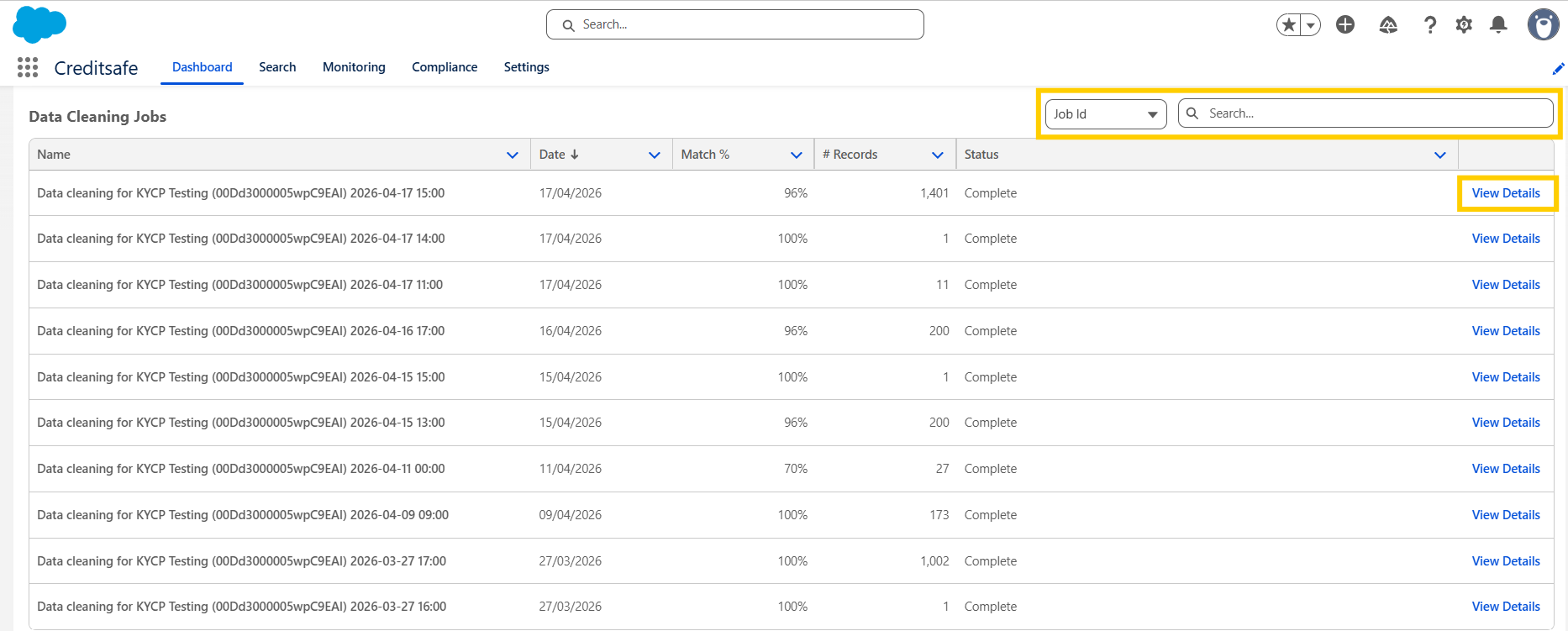
- In the Salesforce dashboard, when you scroll to the bottom of the page you will see a list of your Data Cleaning jobs.
- You can use the search function to search for a specific job.
- On the job that you want to download the enrichment file of, click View Details
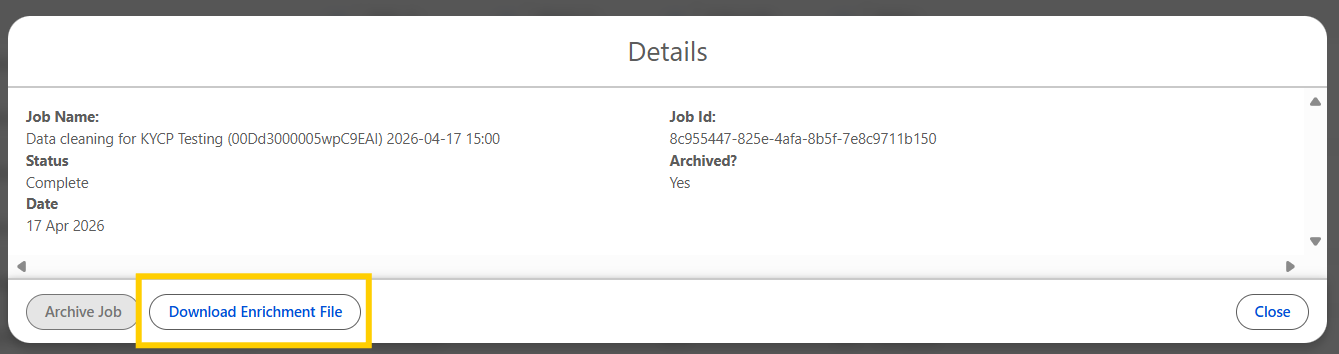
- Click on Download Enrichment File
- The Excel file will be saved to your downloads