
There are two ways to see Monitoring Alerts within Salesforce. You can see these either directly in the record, or by going to the Monitoring Alert Records tab. For more guidance on viewing Monitoring Alerts, please view this interactive demonstration, or follow the below steps.
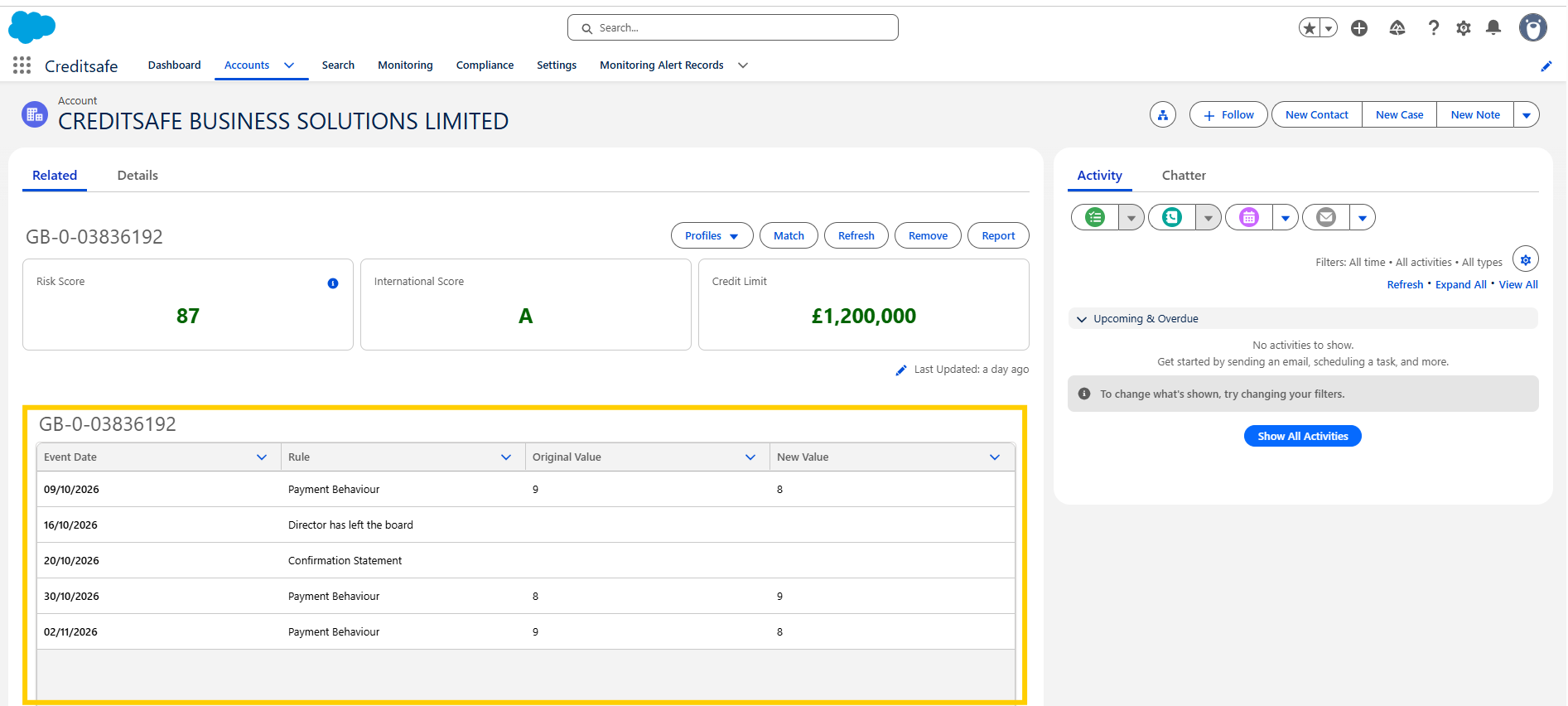
Viewing an Individual Alert:
- From the Salesforce Dashboard, click on the Accounts tab
- Click on the Account that you want to view the alerts for
- Any events will be shown in the Monitoring notifications component on the Account record
View All Monitoring Alert Records:
Please note: You must have Monitoring Alerts Enabled in your Monitoring Settings for this function to work
- From the Salesforce Dashboard, click on the Monitoring Alert Records tab
- You will be taken to the full list of Monitoring Alerts
- You can use the search bar on the top right of the screen to refine your results
- Click on the Monitoring Alert code to see more details about the Alert